For agents Fewer check-ins. Judged on the work, not on looking busy.
The AI reads your day, so your manager doesn't have to ask how it went. No presence checks, and never keystrokes, webcam or microphone.
- Check-ins
- fewer of them
- Never recorded
- keystrokes, camera, mic
- Your own
- hours, tasks, corrections
Your week
Paul Revere · 5 to 11 OctoberLeft alone to do the work
When your day is going well, nobody needs to ask. Your manager gets a short summary of the day and only looks closer when something stands out. No pop-ups asking if you're there.
Hand in the work
Finish a task and attach what came out of it: a file, several files or a note. The answer is there before anyone asks.
Today's tasks
Paul Revere · 15 OctoberYou're in control
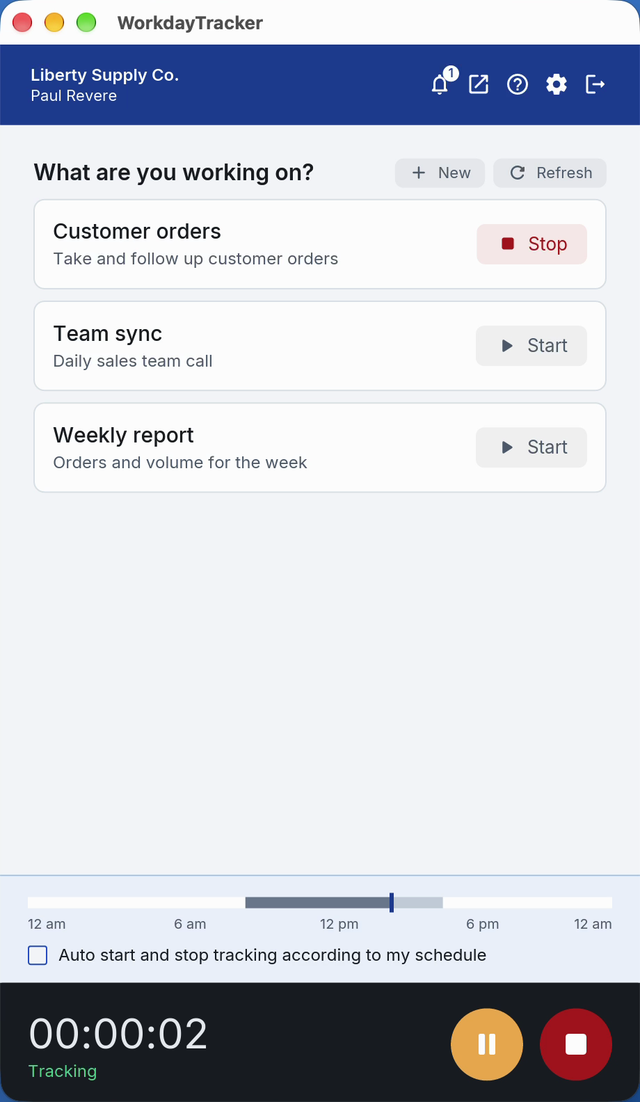
The app follows your working hours. You can pause it when you step away, and while it is paused or stopped, nothing is recorded. It never records keystrokes, your webcam or your microphone.
- Pause
- your call
- Stopped
- nothing is recorded
- Working hours
- the app follows them
What is recorded
While the app is recording: a screenshot about every 30 seconds, the app and web page in front, and the task you picked. Your day is read against your job description, so you're judged on the work, not on mouse movement. The full list is on the What we record page.
Your corrections
Forgot to start the app? Left it running over lunch? Ask for the time to be corrected and add a note or a file. Your manager decides, and you see the answer.
Time correction
Betsy Ross · Friday 9 OctoberForgot to start the app after the client call. Please add 9:15 to 10:00.
What your computer needs
The desktop app runs on Mac, Windows and Linux computers that meet these requirements. The web app works in any current browser.
- Operating system: macOS 11 or later, Windows 10 or 11 (64-bit), or Linux (64-bit, Ubuntu 24.04 or newer)
- Processor: Intel Core i3, AMD Ryzen 3, Apple M1, or better
- Memory: 4 GB
- Disk space: 500 MB free
- Internet: needed to upload, and recording continues without it
Questions
Can I pause the app?
Yes. Pause it when you step away. Nothing is recorded while it is paused.
Does it record when I'm not working?
No. It records only while the app is running, and never keystrokes, your webcam or your microphone.
Can my manager see my screen live?
No. Managers see screenshots after they are uploaded.
What can I see about my own day?
Your hours, your timesheet period and your tasks, in the web app. You can ask for a correction when a day is wrong.
See a manager's morning with it.
A 20-minute demo, then a free two-week pilot with your own agents.